


Starfall
3.96.12K Reviews
App Specs
- Version
- 3.3.92
- Updated On
- License
- Free
- Downloads
- 5,000,000+
- Developer
- Starfall Education Foundation
- Categories
- Education
- Platform
- Android, iOS
Screenshots
 Analysis by AppCompare
When I use a learning app with a young child, I want it to make a short stretch of practice feel inviting without turning the phone into a substitute teacher. Starfall aims for that balance through playful activities across early learning topics. It is an education app from Starfall Education Foundation, and I see its strongest role as a familiar place to practise foundational skills with an adult nearby—not as a complete curriculum or a way to track every part of a child’s progress.
A realistic routine, rather than an all-day screen session
A useful way to bring Starfall into an ordinary day is to choose one small goal before opening it. For example, after school, a child who is working on letter sounds might spend a few minutes exploring a phonics activity, then switch to a short reading experience if attention is still good. The adult can ask the child to say the sound aloud or explain what they noticed. That simple conversation turns tapping into a chance to practise speaking and listening, too.
I would avoid treating the app as a reward that must be earned through a long session. Young children can lose focus quickly, and a bright screen can make it tempting to keep moving from one activity to another without absorbing much. A brief, repeatable routine is more useful: pick a subject, stay with it long enough to complete a small task, and stop while the child is still comfortable. The exact stopping point should depend on the child, not on an arbitrary timer.
For a caregiver juggling dinner or a sibling’s needs, an activity that a child can explore independently may be a welcome pause. I would still stay within earshot, especially at first. A child might tap through a book or activity confidently but misunderstand an instruction or guess through a question. Checking in lets me notice when the app is helping and when the child needs a hint or a break.
Set expectations before choosing what to open
The app’s broad range can be a strength, but it also means a child may jump between topics. I find it helpful to offer a narrow choice—reading or math, for instance—instead of asking what they want to do across the whole app. That gives the child some control while keeping the session purposeful. If a particular activity is too easy or frustrating, changing direction is reasonable; there is little value in forcing a child to persist when they have stopped engaging.
Adults should also think about what kind of support they want from a learning app. Starfall can provide practice and immediate responses within activities, but that is not the same as an individual assessment or a lesson plan tailored to a child’s classroom needs. If I were concerned about a persistent reading or math difficulty, I would use the app only as a low-pressure supplement and talk with the child’s teacher or another qualified professional about next steps.
Starfall is free to download, while access to all of its content requires a subscription; in-app purchases are listed at $5.99 per item. I would let a child explore the available material with an adult first, then decide whether the broader access is worthwhile for the household. That avoids paying simply because a locked activity appeared at an exciting moment. The app is rated Everyone, but that age label does not tell a parent whether the learning level suits a particular child, so a quick adult preview is still sensible.
Worth Reading Before You Choose

EA SPORTS FC Mobile 26 Is a Bigger Football Game, but It Takes Time

Flipboard Shows What News Apps Must Do Beyond the Feed

Switching to Android Auto Means Rethinking Your Driving Routine

Google Calendar Makes a Crowded Week Easier to Manage

Ludo King Makes the Most of the Minutes Between Plans

Baby Panda World Brings Quick Play to Modern Phones, but Its Game Library Feels Busy
Where it fits among learning apps
Compared with a single-purpose phonics app, Starfall’s appeal is its mix of early reading, math, and other activities in one place. That variety can make it easier to keep a child interested or to follow a different learning mood from one day to the next. The trade-off is that a specialist app may be a better fit when a family wants a tightly focused sequence for one skill, or when a teacher has recommended a particular kind of practice.
It also serves a different purpose from a video channel or a general entertainment game. The activities invite children to respond rather than only watch, which gives an adult more chances to ask questions and see how a child approaches a task. Still, interactive does not automatically mean instruction is complete: a child may need explanation, repetition, or a real book and pencil alongside the screen. I would combine it with conversation and offline practice instead of expecting one app to cover every learning need.
The app has an average rating of 4.0 from around 27,000 ratings, and it has been installed over five million times. Those figures suggest that many families have tried it, but they do not tell me whether a particular child will enjoy its style. I would judge it by whether the child returns willingly, can navigate activities without constant frustration, and has something useful to say or do after a session.
What’s the Buzz About Starfall?
First off, Starfall is a non-profit app designed to teach children basic reading, math, and other essential skills. What makes it stand out is its interactive and engaging approach. It’s primarily targeted at young learners, from preschool through second grade, but honestly, it’s a blast for anyone who loves a good educational game.
Interactive Learning at Its Best
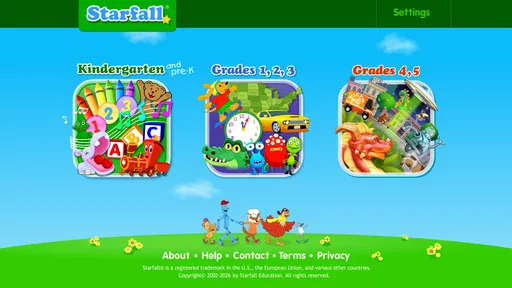
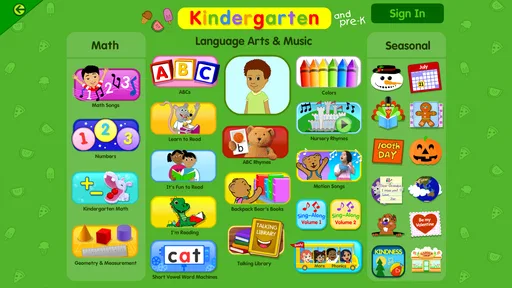
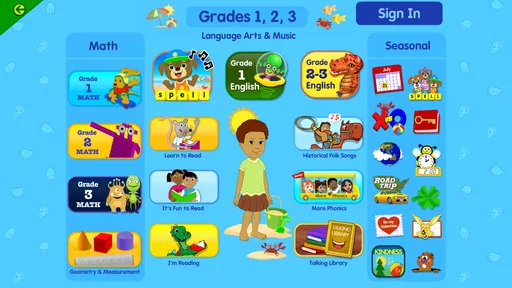
The first thing you notice when diving into Starfall is how colorful and animated everything is. The app is full of engaging characters and vibrant graphics that grab the attention of little ones right away. As soon as you open it, you are greeted with a variety of learning activities that range from phonics to math games. It’s like having a classroom in your pocket.
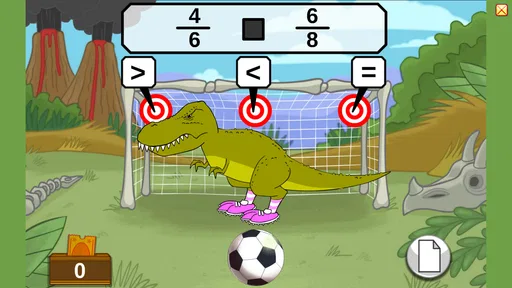
What I absolutely love is how interactive the experience is. Kids aren’t just passively watching; they're actively participating. Whether it’s clicking on letters to hear their sounds or solving puzzles to progress, the app manages to keep them engaged in a way that feels more like play than work.
A Wealth of Content
Starfall offers a wealth of content that covers multiple subjects. You’ve got phonics, vocabulary, reading, and math, among others. The app provides different levels of difficulty, so whether your child is just starting out or needs a bit more of a challenge, there’s something for everyone.
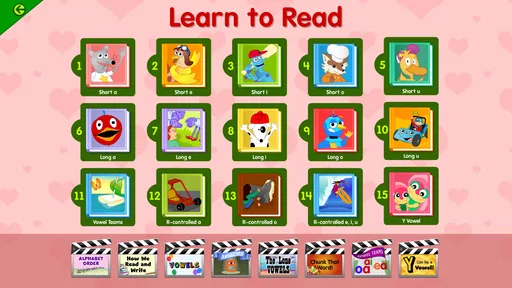
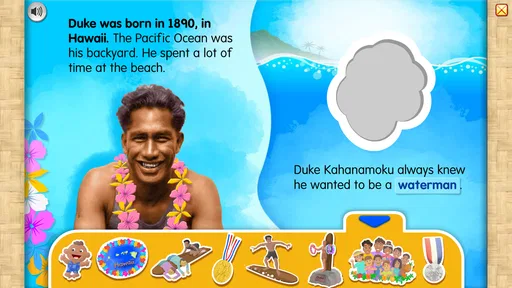
One of the standout features is the reading section, where kids can explore books that read aloud to them. This is great for developing listening skills and for those times when you need a break from reading aloud yourself. Plus, the books are interactive, allowing kids to click on different objects to hear what they are, adding an extra layer of learning.
Designed for Kids, Loved by Parents
Parents will appreciate how user-friendly the app is. The navigation is straightforward, even for young users, which means less frustration and more learning. The app is also ad-free, a huge plus in my book, as it ensures a safe and uninterrupted learning experience.
Another thing that’s awesome is the feedback loop. Kids get instant feedback on their activities, which helps them understand and correct their mistakes in real time. It’s this kind of thoughtful design that makes Starfall not just an app, but a learning tool.
Why It’s Worth a Download
If you’re looking for an educational app that combines fun and learning seamlessly, Starfall is definitely worth checking out. It’s got the right mix of entertainment and education, making it a fantastic tool for supplementing school learning or even homeschooling.
The app is available on both Android and iOS, and while it’s free to download, some of the content is behind a paywall. But trust me, the free version offers plenty to get your little ones started on their learning journey.
In conclusion, whether you’ve got a budding reader, a math enthusiast, or a curious learner, Starfall provides a platform that nurtures and encourages learning in a fun, interactive way. Give it a try, and you might just find yourself learning and playing alongside your kids!
Small habits that make practice more useful
I get more out of Starfall when I treat it as a prompt for a shared activity, not a babysitter. Before handing over the device, I name one thing to look for: a letter that appears in the child’s name, a word they recognize, or a pattern in a math task. Afterward, I ask them to show me what they remember without reopening the screen. This gives me a quick, informal sense of what stuck while keeping the mood light.
It also helps to let the child control the taps while the adult controls the rhythm. I can read the instruction aloud if needed, give the child time to answer, and resist jumping in immediately when they hesitate. That pause matters: instant feedback inside an activity can be useful, but a caregiver’s quick correction may prevent a child from thinking through the problem. If the child is stuck, I offer a small clue rather than taking over.
Device and access decisions to make calmly
Starfall’s current version is 3.3.54 and it requires Android 7.0 or later. That makes the operating-system requirement worth checking before planning to use it on an older device. The app is also available on iOS. Since young children may share a family phone or tablet, I would open it before a planned session, confirm that it launches properly on that device, and make sure the screen is comfortable for a child to use. This is a practical check, not a reason to assume every older device will behave the same way.
The content-access decision deserves a little patience. The free download gives a family a chance to see whether the activities suit the child, while the subscription route is for access to all content. I would not make that choice based on the number of activities alone; what matters is whether the child actually uses the material and whether its level matches their current interests. A child who returns to the same reading practice willingly may benefit more than one who samples many sections once and moves on.
There is a trade-off in using one broad app for several subjects: it reduces the need to switch between separate tools, but a child can also drift into browsing instead of practising. A parent can manage that without inventing a complicated system. Agree on the activity before opening the app, keep the device in a shared space, and finish with a question about the task. Those habits make the session easier to supervise and help distinguish purposeful use from simply tapping around.
When another approach may work better
I would be cautious about choosing Starfall as the main tool for an older learner who needs sustained, advanced instruction. Its strongest fit is early learning and foundational practice; a child who has moved beyond that stage may find the activities too simple or want a more structured program. Likewise, if a family needs detailed progress reports, individualized teaching, or a curriculum that follows a particular classroom sequence, they should look for a tool built around those needs rather than assume this app provides them.
For a child who resists screens, a shared picture book, letter cards, or hands-on counting may be a better starting point. Starfall can complement those approaches, but it should not have to win every time. I like it most when it adds variety to an existing routine: a short digital reading activity one day, a paper book or counting game the next. That mix keeps the app in its proper place and gives the child different ways to practise.
My verdict after weighing the fit
Starfall is a sensible choice for families and educators who want approachable, interactive practice in early reading and math, especially when an adult can guide the session and connect screen activities to everyday conversation. Its free starting point makes it easy to explore, and the range of subjects gives children room to follow a changing interest. Its limits matter too: it is not a substitute for individualized instruction, and the broad menu works best when an adult helps keep a session focused.
The app was released on September 14, 2013, and its longevity is one reason I would consider it a familiar option rather than a new experiment. I would still make the decision based on the child in front of me: whether the navigation feels manageable, whether the activities hold attention for a short stretch, and whether they encourage practice beyond the screen. If those pieces fit, I’d be comfortable recommending it as a useful addition to a young learner’s routine—not as the whole routine.
Pros
- Engaging educational content for kids.
- User-friendly interface with vibrant graphics.
- Regular updates with new activities.
- Offline access for uninterrupted learning.
- Safe environment with no ads.
Cons
- Limited content in free version.
- Requires subscription for full access.
- No parental controls for usage time.
- Lacks advanced features for older kids.
- In-app navigation can be confusing.
FAQs for Starfall
What is the main objective of Starfall?
Starfall is an educational app designed to help children learn through interactive games and activities. It focuses on developing reading skills, math comprehension, and social-emotional learning in an engaging way. The app uses colorful animations and fun challenges to keep children interested while ensuring they build foundational skills.
Is Starfall suitable for all age groups?
Starfall is primarily designed for children in preschool through second grade, typically ages 3 to 8. The app features age-appropriate content that aligns with educational standards. Parents can choose activities that match their child's developmental stage, making it a flexible learning tool for young learners.
Does Starfall require an internet connection?
While some features of Starfall can be accessed offline, a stable internet connection is necessary to unlock all content and ensure proper functioning of the app. Regular updates and new activities often require downloading, so having internet access ensures a seamless experience.
Are there any in-app purchases or subscriptions in Starfall?
Starfall offers a free version with limited content, while a paid membership provides access to the full range of activities and features. The subscription is reasonably priced, making it accessible for most families. There are no hidden costs, and the subscription can be managed directly through the app.
How does Starfall ensure the safety of its young users?
Starfall prioritizes child safety by offering a secure, ad-free environment. It complies with COPPA (Children's Online Privacy Protection Act) standards, ensuring no personal data is collected from children. Parents can feel confident that their child is learning in a safe and controlled digital space.


